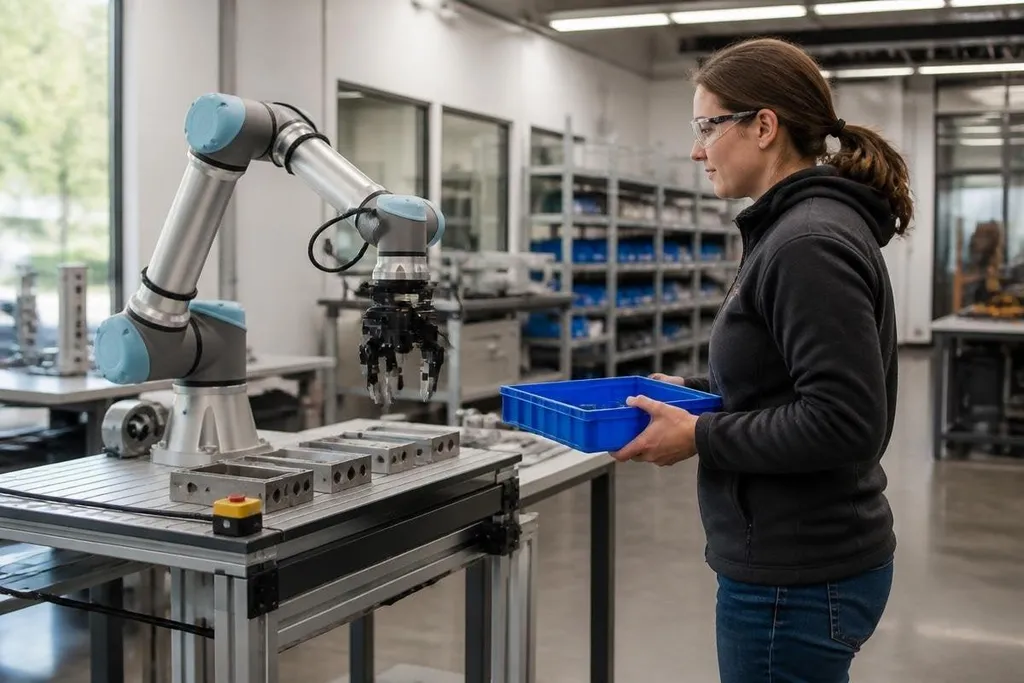
A robot shares a work area with people, so its safety depends on what it does when a person enters its path. The robot uses sensors, control software, speed limits, and physical design to reduce the force of contact.
- Force limits stop the arm before contact becomes dangerous.
- Safety scanners can slow or stop motion when a person gets close.
- A risk assessment decides whether the robot may work beside people at all.
The robot checks its surroundings
Most collaborative robot cells use sensors to track the robot’s position and detect people near its moving parts. The exact setup depends on the task. A robot placing light parts may work with one sensor system, while a robot holding a sharp tool needs more distance and more controls.
Safety scanners can create zones around the robot. In a warning zone, the robot may slow down. In a stop zone, its controller can remove power from the motors or hold the arm in place. The zones need careful placement because a person can move faster than the robot can stop.
Some systems use cameras, pressure mats, door switches, or light curtains as part of the safety setup. These devices don’t replace a risk assessment. They give the controller information, but people still need to check the cell, the tool, the workpiece, and the tasks around it.
Force and speed limits reduce harm
The robot can limit the force at its joints and the power sent to its motors. If the arm meets unexpected resistance, the controller can stop or move away. This works best when the robot carries a light load and uses a tool with no sharp edge.
Speed also matters. A slow arm gives people more time to move and gives the control system less distance to cover before stopping. The robot’s payload, reach, stopping distance, and tool shape all affect the result, so a setting that works for one task may fail at another.
ISO 10218 covers safety requirements for industrial robots and robot systems. ISO/TS 15066 adds guidance for collaborative robot work, including contact between a robot and a person. These documents support the safety review, but they don’t turn every robot into a safe machine for every job.
Physical design helps, but it has limits
Many collaborative robots use rounded covers and smooth joints to reduce pinch points. Their control systems may also monitor motor torque, which is the turning force at a joint. A change in torque can signal that the arm has met an object.
That protection has limits. A rounded arm can still hurt someone if it traps a hand against a fixed surface. A soft cover does little when the robot carries a blade, drill, heated tool, or heavy part. The workpiece can create the hazard even when the robot arm does not.
I’d treat the robot’s collaborative label as a starting point for a safety review, not as permission to remove guards.
The task decides the safety setup
The company running the cell must review each step of the job. The review should look at normal work, cleaning, maintenance, setup, faults, and recovery after a stop.
Unplanned work can put a person near a robot in a different mode, position, or load state. Record who may enter, what the robot carries, how fast it moves, where a person could be trapped, and which control stops it. Dated Robot 24 reports can help you compare that written plan with named robots used at work sites.
Training matters too. Workers need to know the stop controls, the safe distance, the robot’s restart behavior, and the signs of a fault. A robot that stops after a sensor trip may restart when the area clears, or it may need a manual reset. That behavior must be clear before the cell runs.
A practical safety check
Before a collaborative robot works beside people, check these points:
- Map the motion: mark the full reach of the arm, including tool and load.
- Check contact points: find places where the arm or load could trap a hand.
- Test stop time: measure how far the robot travels after a stop signal.
- Review every mode: include setup, manual guidance, cleaning, faults, and restart.
- Match the tool: assess blades, heat, edges, suction, and the weight of the part.
- Train the team: show stop controls and the steps for a safe reset.
Several layers work together to reduce injury: sensing, speed control, force limits, safe tools, cell layout, and trained staff. If the task includes heavy loads, sharp tools, fast motion, or trapping points, physical guarding may still be the right choice.
The useful question is not whether a robot has a collaborative rating. It is whether the complete cell has been tested for the exact work people will do beside it.